


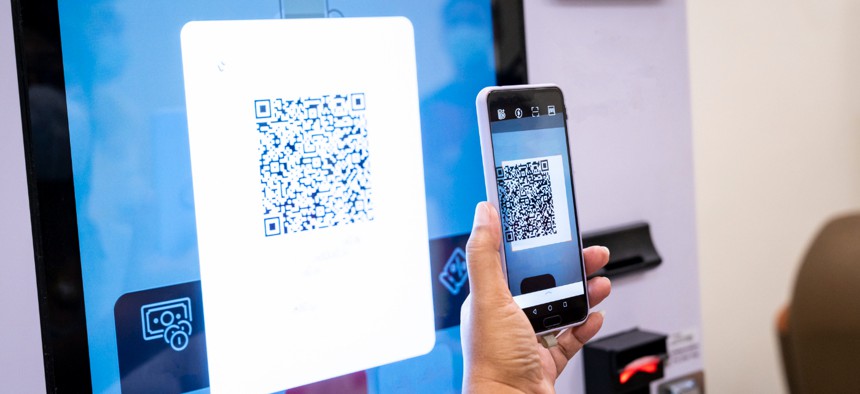
QR codes are tiny but mighty — they turn a static paper flyer into an interactive doorway to your website, menu, signup form, or coupon. Used well, they increase engagement and make tracking simple; used poorly, they end up as ugly, unscannable squares nobody touches. Below I’ll walk you through smart, research-backed ways to add QR codes to flyers so they actually get scanned — and convert. (P.S. if you’re designing a flyer fast, try a free flyer maker printable to mock up layouts before printing.)
Why QR codes still matter (quick data you can use)
QR adoption has been climbing for years: millions of Americans now use their phones to scan QR codes for payments, promotions, and info — and projections show continued growth in scan activity into 2025. This means adding a QR code to a flyer is not a gamble; it’s a convenience that matches how people use phones today.
Choose the right type: dynamic vs static
Pick dynamic QR codes when you can. Dynamic codes let you change the scan destination after printing and provide analytics (scan counts, time, sometimes location), so you can A/B test landing pages or fix broken links without reprinting flyers. Static codes are fine for one-off, permanent content, but they won’t give you the flexibility or tracking that helps measure ROI.
Design & placement: make scanning effortless
Actionable checklist:
- Size matters. Aim for at least 2 × 2 cm (≈0.8 × 0.8 in) on printed flyers for close-range scanning; increase size if the flyer will be handed out at a distance or viewed across a table or display. A useful rule of thumb is 1 cm of QR width for every 10 cm of expected scanning distance. Test before printing.
- Clear space. Surround the code with a quiet margin (a “clear zone”) — don’t pack text or busy images right up against it.
- High contrast. Black-on-white is safest; avoid low-contrast color combos or patterned backgrounds that confuse phone cameras.
- Don’t overwhelm with size. While bigger improves scanning distance, oversized codes can dominate the design and reduce the incentive to scan (people assume the code does everything). Balance aesthetics and function.
Write a clickable CTA (yes, even for a QR)
People need a reason to point their camera. Put a short, benefit-driven CTA near the code:
- “Scan to get 20% off — today only.”
- “Scan for our event schedule + map.”
- “Scan to RSVP in 10 seconds.”
Make the benefit explicit and set expectations (what they’ll see, how long it takes). Add a visual cue — an arrow, phone icon, or short instruction like “Open your camera & scan.”
Landing pages: mobile-first and fast
Don’t send scanners to a slow, desktop-only page. Build a mobile-first landing page that:
- Loads in under 3 seconds on mobile,
- Shows the promised offer or information immediately above the fold, and
- Has a single clear action (claim coupon, sign up, book now).
If you track scans with a dynamic QR provider, you’ll be able to see how many people scanned vs. how many converted — and optimize accordingly.
Security & trust — address the quishing problem
QR codes have been used in phishing (“quishing”) and fraud, so be mindful of user trust. Include signals that reassure people:
- Brand the flyer clearly with your logo and contact info.
- Use URL shorteners or visible domain previews on the landing page so users can verify legitimacy.
- If appropriate, add small copy like “Official [Brand] link — no payment info required to view.”
News and regulators have flagged malicious QR scams in public spaces, so transparency helps encourage scans while protecting users.
Test, measure, iterate
Use A/B testing and analytics:
- Try two CTAs or two landing pages and compare conversion rates.
- Rotate QR code placement on different print runs to see which position gets more scans.
- Monitor time-of-day and geographic scan patterns if your dynamic QR provider offers that data — it can inform distribution strategy.
Because print is less forgiving than digital, run small test prints and scan them with multiple phones (iOS and Android) before full production.
Practical printing tips
- Print a sample and scan it from typical viewing distances.
- Avoid glossy finishes directly over the QR code (reflections can block scanners).
- Consider printing a short URL under the QR code as a backup for users who prefer typing.
- If the flyer will be outdoors or in low light, increase size and contrast to maintain scanability.
Quick summary: three rules to live by
- Make it useful — offer a clear, immediate benefit.
- Make it scannable — size, contrast, and clear space are non-negotiable.
- Make it trustworthy — brand the flyer and use dynamic codes with analytics.
Adding QR codes to flyers is low-cost, high-value when done right: they bridge print and digital, let you measure engagement, and create a smoother path to conversion. Start with a small test batch, use dynamic code for flexibility and tracking, write a clear CTA, and always test scanning with real phones before you print hundreds or thousands. Want a quick layout to try these tips? Use a [free flyer maker printable] to prototype and scan your QR placement before sending to the printer.
